Instagram webhooks push data instead of you polling for it
Core concept
New comments, messages, and mentions don’t need to be discovered by
repeatedly calling the Graph API and checking what’s new. Once your app
subscribes to the right fields (comments, live_comments, mentions,
messages, message_reactions), Meta’s Webhooks product pushes them to
your callback URL as soon as they happen. The POST body is thin, just an
event id, a field name, and an account id, not the full object. It’s a
notification that something happened, not a general way to read
Instagram data.
A backend that subscribes to the webhook doesn’t need a polling loop at all. It just runs a public endpoint that receives the POST, verifies it, and reacts. A device that can’t run a public endpoint, a battery-powered tablet for example, still has to fall back to fetching on a schedule. That’s a constraint on the consumer’s side, not something the Graph API forces on you.
A correctly configured callback URL still doesn’t mean events will arrive
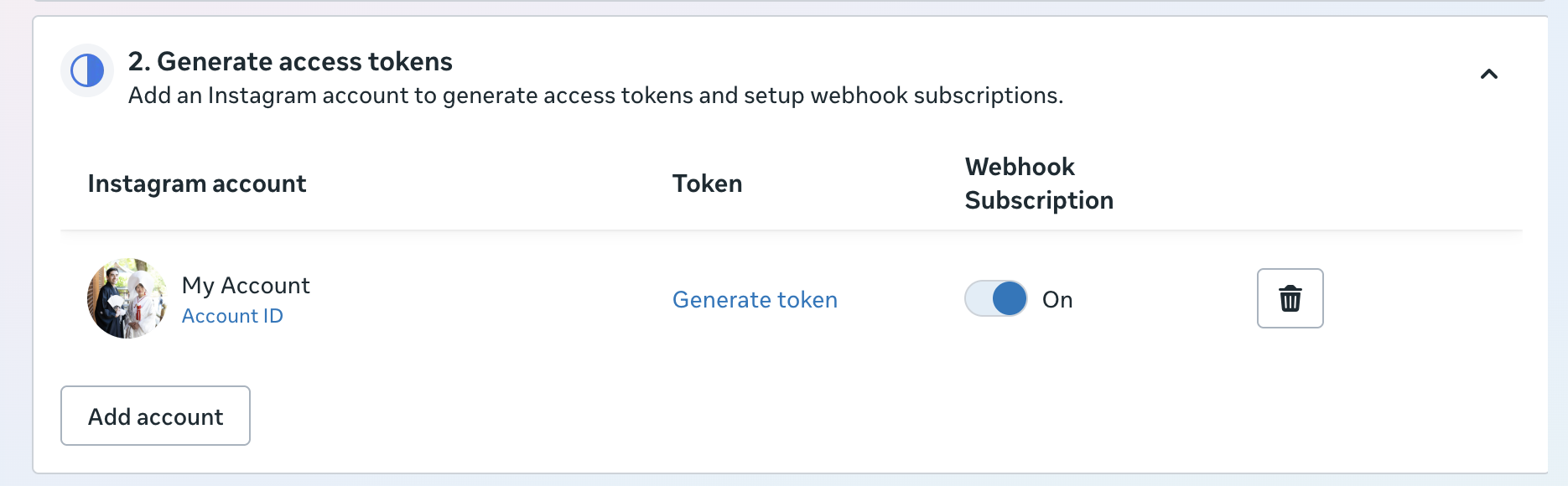
The Meta App Dashboard’s webhook setup is split across two separate steps, and each one has its own switch:
- Configure webhooks: the app-level Callback URL and Verify Token.
Saving this fires the
hub.mode/hub.verify_token/hub.challengehandshake. Getting a200here just confirms your endpoint answers correctly. Nothing about a specific account is wired up yet. - Generate access tokens: for each Instagram account, there’s a separate Webhook Subscription toggle.
The dashboard also lists a “Set up Instagram business login” step. It’s not necessary for the webhook.
Rule of thumb
If what you’re building cares about new comments, messages, or mentions as they happen, subscribe to the webhook instead of polling for them. Polling is for state you need to read on demand, webhooks are for events you’d otherwise be checking for on a timer. Once it’s set up, remember the callback URL and the per-account subscription are two separate switches. Verifying one doesn’t confirm the other.